Labs
Creating a 'The Verge'-like site with Panopoly
Vox Media have a great platform in Chorus, making websites like The Verge, SB Nation and Polygon. Their interesting and varied article layouts engage and focus the reader, and provide much more flexibility for the content editor.
But if you're using Drupal, how can you improve your content editing process? We looked at several approaches, and came out with one clear winner: Panopoly.
As developers, we should consider the user experience of the content editor more than we currently do, and be more considerate of the workflow required to publish a good-looking article.
Ever had issues with WYSIWYG editors ruining your perfect layout? By structuring your content, as Polygon does here, your editors can avoid getting too caught up in markup, while retaining flexibility in page layout.
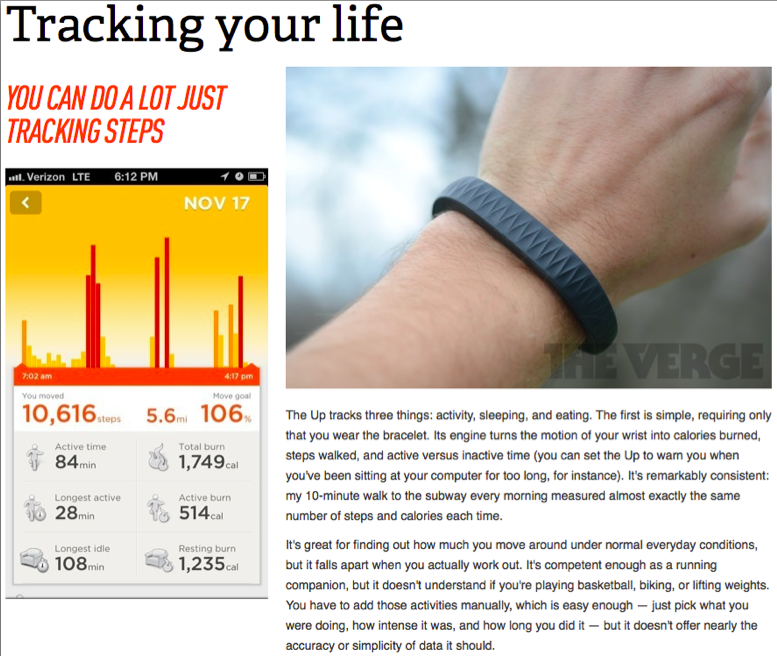
The Verge uses "snippets" to structure content. A snippet contains editable sections to place content in. In the above example, there is the title of the snippet, a left column and a right column.
There are three distinct sections in this one snippet. You could achieve this with a conventional WYSIWYG, and some HTML knowledge, but this is not acceptable for most content editors. Although we don't know how Chorus (Vox Media's proprietary CMS), works, we can see that this approach offers ease of use and flexibility to your users without intricate knowledge of HTML, and allows them to focus on what really matters: the content.
We studied this approach and decided to use it for Deeson Member Communications.
Some of our requirements were:
-
Be able to move sections of content up and down as required, while having different layouts for each section on the page.
-
Be able to have different styles available to choose for a particular piece of content.
-
Be able to reuse some content across the site, without duplication.
It soon became clear that a conventional WYSIWYG would not do the job here, and we needed something easy to use.
Enter Panopoly. By playing around with a freshly installed version, we began to see the potential for change in the usual content editing process.
Original designs for the site included a "Super Page", which incorporated several different sections, with varied layouts. For example, one section is a full width background image with text, and another is a centred container with a list of links.
How do we get editors up to speed with the required HTML to achieve this?
The answer: we shouldn't need to. Our system should abstract the layout in a way that is clear and understandable, while also having ease of use.
Digging into Panopoly, we found a handy module in Fieldable Panel Panes. This module does what it says on the tin, and allows you to add fieldable panes to your panel layouts. Panopoly 7.x-1.0-rc3 provides a few key pane types such as text and image gallery out of the box, but we needed a little more customisation. In 7.x-1.0-rc3, Fieldable Panel Panes requires a custom module to define custom pane types, but this is very simple to do with a hook:
/**
 * Implements hook_entity_info_alter().
 */
function yourmodule_custom_panes_entity_info_alter(&$entity_info) {
  $entity_info['fieldable_panels_pane']['bundles']['machine_name_of_new_pane'] = array(
    'label' => t('Name of custom pane'),
    'pane category' => t('Category your pane will appear in'),
    'pane top level' => FALSE,
    'pane icon' => '', // Path to icon for your pane if needed
    'admin' => array(
      'path' => 'admin/structure/fieldable-panels-panes/manage/%fieldable_panels_panes_type',
      'bundle argument' => 4,
      // Note that this has all _ replaced with - from the bundle name.
      'real path' => 'admin/structure/fieldable-panels-panes/manage/machine-name-of-new-pane',
      'access arguments' => array('administer fieldable panels panes'),
    ),
  );
}
In future Panopoly releases, the newest version of Fieldable Panel Panes should be included, which includes a UI for adding new pane types.
After your custom pane type is defined, all field configuration is then done through the UI as usual, at admin/structure/fieldable-panels-panes.
You can add fields as you would with a content type or other entities, and configure field display with Display Suite for your custom view modes.
The end result of this is a custom pane your editors can easily add to pages. On the Deeson Member Communications site, we use several types of panes to create a custom experience for each page.
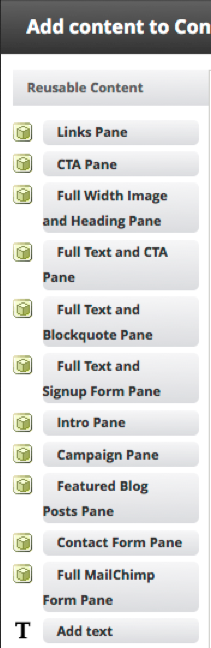
Each of these panes include editable regions, where the editor is free to produce content unburdened by markup considerations. With Panopoly, we can also move each of these regions in place to get an idea of how the content will actually look when published.
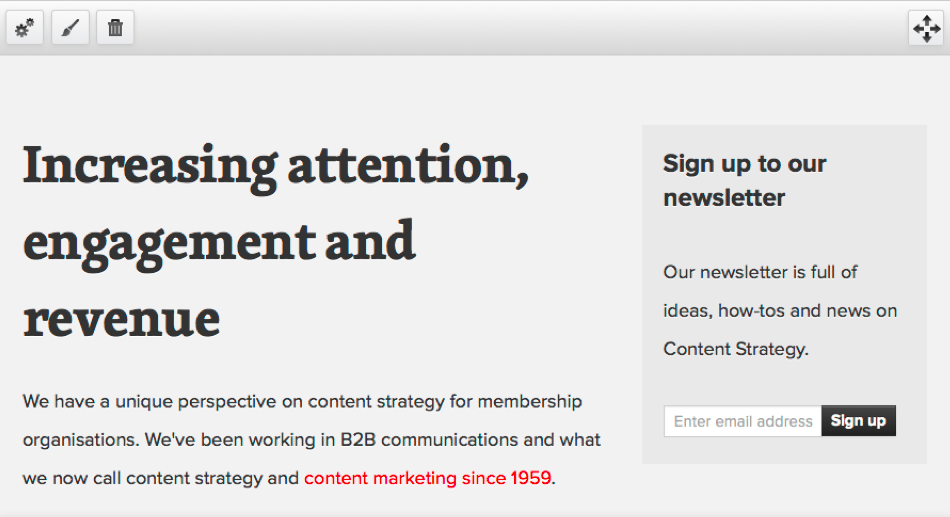
The options at the top of each pane allow editing, custom styling, deletion, and placement.
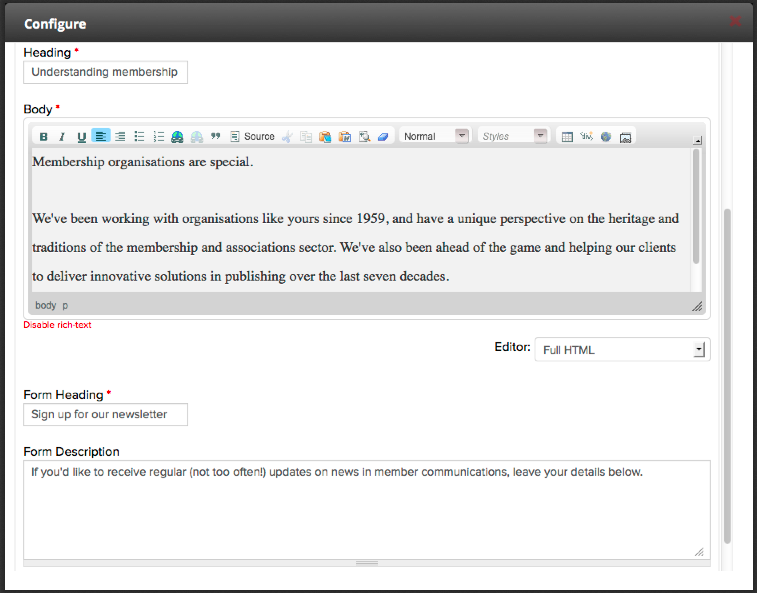
Editing a fieldable pane - note we allow HTML in the body field here to allow easy bullet points, bolded text, etc.
Check out http://deeson-mc.co.uk/magazines to see what we've been able to achieve with Panopoly.
We've had a lot of fun with this new content editing experience, and there's still more we can do. Using Panopoly is a different approach to editing content in Drupal, and the UI is developed enough to aid even the most markup-averse content admin.
We recommend trying Panopoly out on your next project, be that a content-generated site or a site which requires varying types of layout per page.
If you have the resources to look into making something different for your users, Panopoly is definitely something to take into consideration.
Comments
This is a great write-up! I am going to convert mid-development to Panopoly. Do you have tips on overriding the fieldable panel pane layouts? I assume you created a tpl file for each one. I am doing similar layouts with some full width elements and others inside of the bootstrap grid. Thanks!
Hi Tarik,
Thanks for your comment! Great that you were inspired enough to switch!
I personally use Display Suite to handle the layout of my panes, so my panel pane templates look something like [ds-layout-name]--fieldable-panels-pane-[pane-machine-name].tpl.php
Display Suite very nicely gives you template suggestions at the bottom of the Manage Display screen too!
Everything is really simple to override, also take a look at hook_preprocess_fieldable_panels_pane to pop in extra variables you might need. For instance, I have a background colour on some of the panes, and the class on the wrapper needs the name of that colour to display properly.
Hope that helps!
Using the https://drupal.org/project/paragraphs module might be another way to pull this off. Enjoyed the article.
Ooh, I've been looking for a module like that for a specific use case (hence why I read *this* post).
Thanks for the share!
Regards,
Peter Macinkovic
Digital Producer | Melbourne, Australia
That looks like a nice lightweight way to do it!
I do enjoy the live preview-ish side of the Panels IPE though, much more editor friendly. Not quite in place editing, but better than default Preview.
Just a quick question... not being a php pro... if i needed define several fieldable panes would i just repeat the whole chunk of code
$entity_info['fieldable_panels_pane']['bundles']['machine_name_of_new_pane'] = array( ...................................... );??Hi drupalstrap,
Yes, that's right, just make sure you edit the 'real path' part of the array with your different pane machine names. Change the 'label' part too! Everything else stays the same.
So for a fancy new pane you'd have:
Hope that helps!
great. many thanks!
Your images break on https://drupal.org/planet :-/
Hi there Håvard,
Thanks for the bug report, we'll sort that out!
Thanks for the great article! Can you please fix the hook encoding so that it is possible to read clearly? Many thanks! Kevin
Hi Kevin,
Thanks for the comment, bit of copy/paste error there! Fixed now :)
Awesome. Thanks!
Add new comment